
📊 Pillar Stream Browser (UI)
A built‑in, batteries‑included UI for exploring your event store:
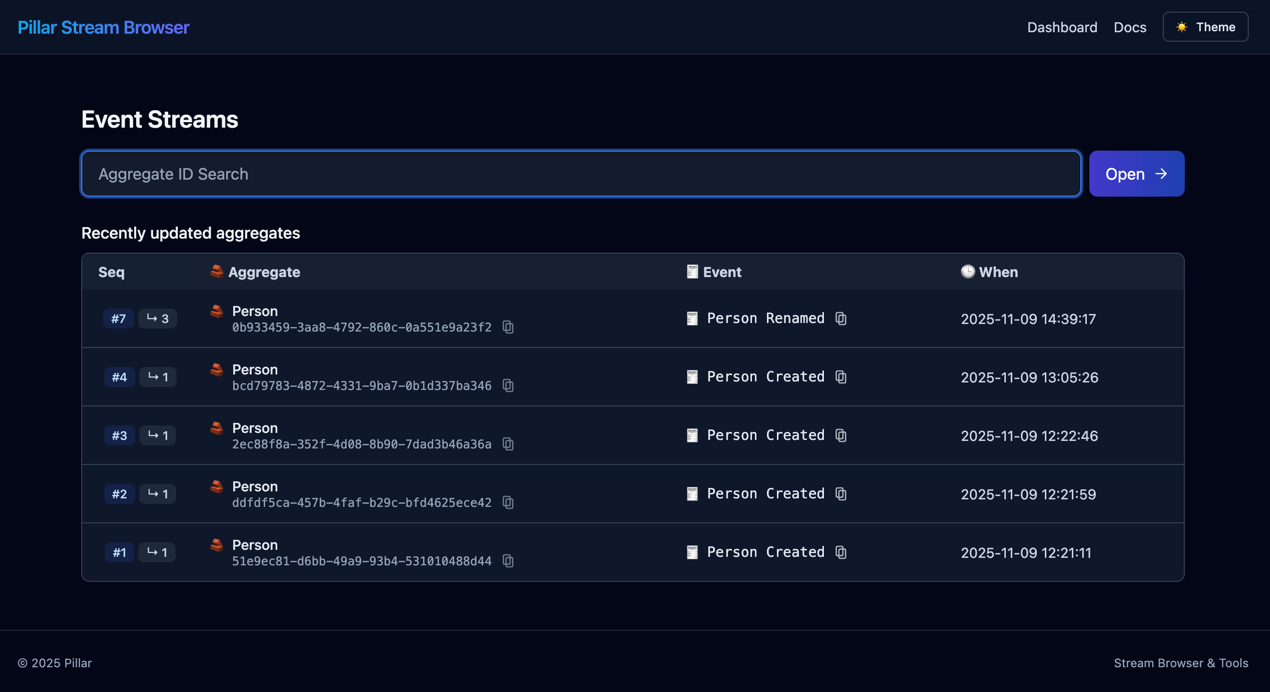
- Browse recently updated streams
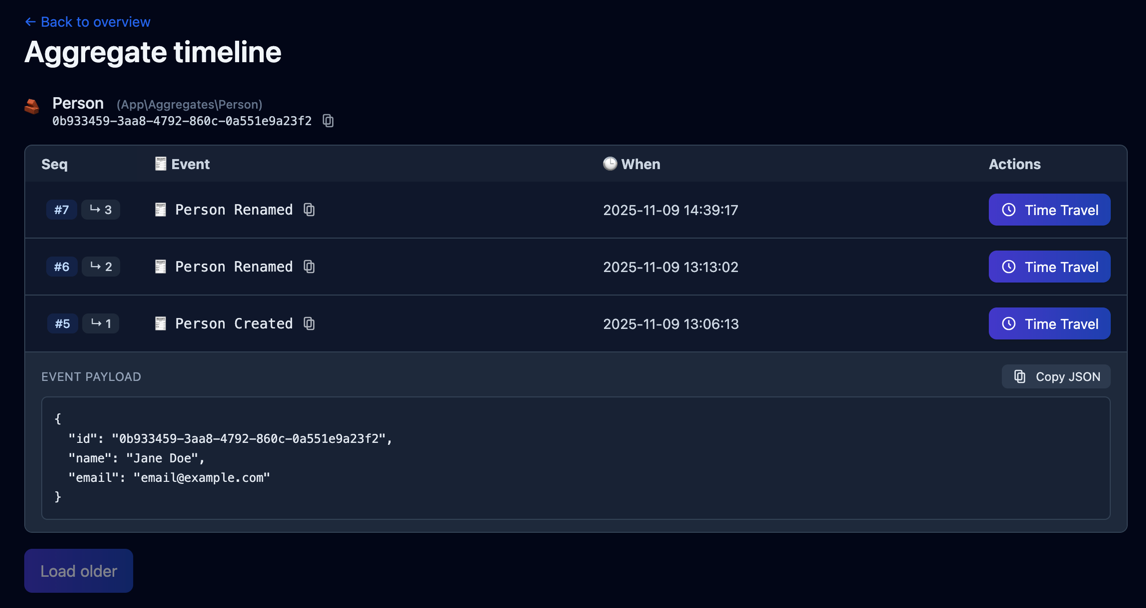
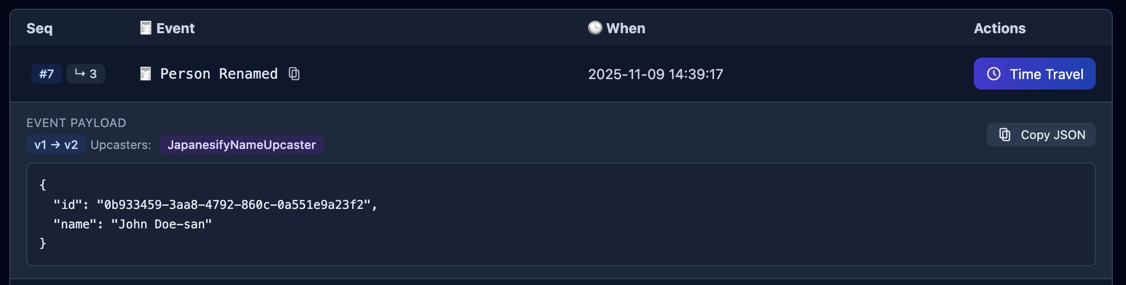
- Inspect event payloads (with upcasters applied)
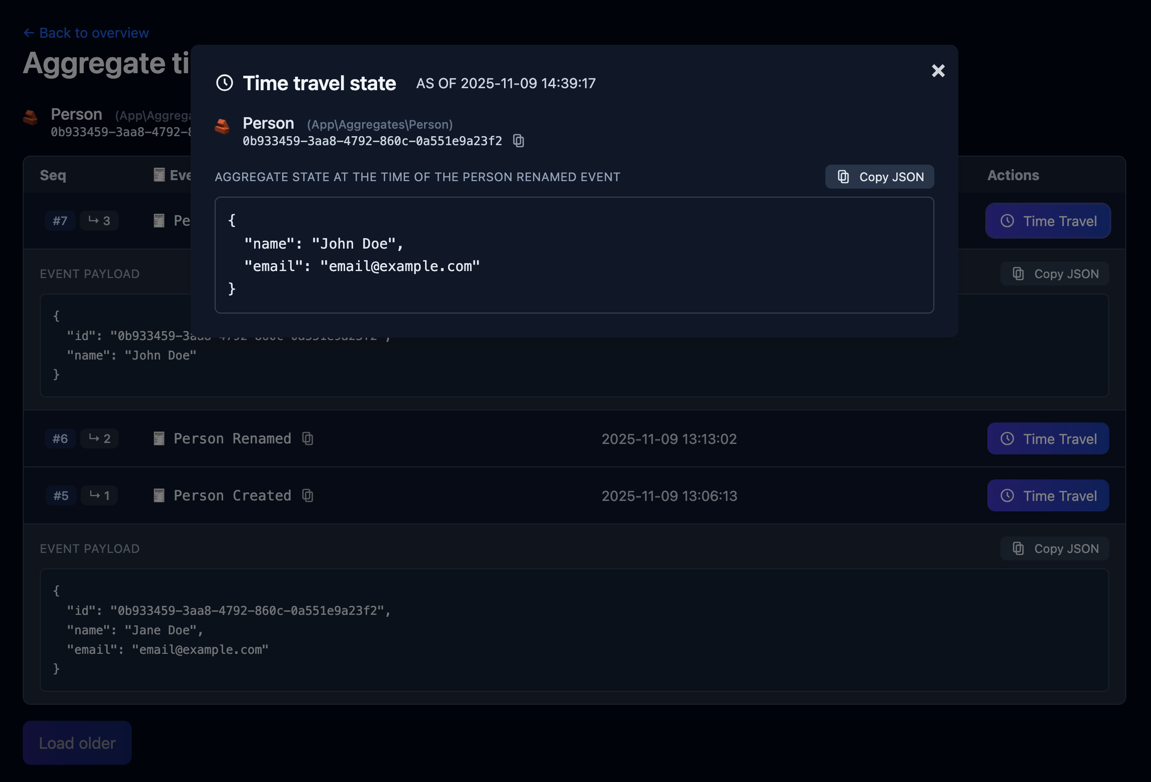
- Time‑travel a stream to see its exact state as of a given event
The Stream Browser can be used during local development and production. It respects your app’s authentication and adds an opt‑in authorization check tailored for Pillar.
✨ Screenshots
Dashboard (recent streams):
Stream timeline with event data explorer:
Time travel to show full aggregate state at the selected event:
Upcasters applied to event payloads are visualized:
🚀 Quick start
- Enable the UI
By default the UI is enabled and mounted at /pillar. You can switch it off globally:
# .env
PILLAR_UI = true         # default: true
PILLAR_UI_PATH = pillar # default: "pillar" → /pillar- Access locally, no extra auth
In environments listed in skip_auth_in (default: local), the UI skips both authentication and the Pillar‑specific check so you can use it immediately:
# .env
PILLAR_UI_SKIP_AUTH_IN = local,testing- Access in other environments
Outside of the “skip” environments, the visiting user must be authenticated (via your chosen guard) and must pass the PillarUser check (see below).
🔐 Access control
PillarUser interface
To control who can open the Stream Browser, implement this interface on your user model:
<?php
declare(strict_types=1);

namespace Pillar\Security;

interface PillarUser
{
    /**
     * Return true if this user is allowed to access the Pillar UI.
     */
    public function canAccessPillar(): bool;
}HasPillarAccess trait (allow by default)
For a quick, permissive setup you can opt in all authenticated users:
<?php
declare(strict_types=1);

namespace Pillar\Security;

trait HasPillarAccess
{
    public function canAccessPillar(): bool
    {
        return true;
    }
}Add the trait to your App\Models\User (or implement custom logic in canAccessPillar()).
Guard & skip‑auth environments
- Guard (defaults to
web): which Laravel guard the UI uses to resolve the current user in protected environments. - Skip auth in …: environments where both authentication and the
PillarUsercheck are bypassed (handy forlocaland CI).
# .env
PILLAR_UI_GUARD = web
PILLAR_UI_SKIP_AUTH_IN = local,testingBehavior matrix:
| Environment | Auth required | PillarUser required | Notes |
|---|---|---|---|
in skip_auth_in | No | No | Great for local dev |
not in skip_auth_in | Yes | Yes | Production‑friendly |
⚙️ Configuration
Everything lives under pillar.ui in config/pillar.php:
/*
|--------------------------------------------------------------------------
| 📊 Pillar UI
|--------------------------------------------------------------------------
| Controls the built-in event explorer / timeline UI.
| Outside the environments listed in `skip_auth_in`, access requires an
| authenticated user that implements Pillar\Security\PillarUser and returns
| true from canAccessPillar().
*/
'ui' => [
    /*
    |--------------------------------------------------------------------------
    | Master switch
    |--------------------------------------------------------------------------
    | If false, the UI is not mounted (routes/views aren’t registered).
    */
    'enabled' => env('PILLAR_UI', true),

    /*
    |--------------------------------------------------------------------------
    | 🔓 Skip auth in these environments
    |--------------------------------------------------------------------------
    | Accepts a comma-separated string or an array. In these environments BOTH
    | authentication and PillarUser checks are bypassed (handy for local dev).
    |
    | .env example:
    |   PILLAR_UI_SKIP_AUTH_IN=local,testing
    */
    'skip_auth_in' => env('PILLAR_UI_SKIP_AUTH_IN', 'local'),

    /*
    |--------------------------------------------------------------------------
    | 🛡️ Auth guard used for access checks
    |--------------------------------------------------------------------------
    | Which guard to use to resolve the current user when the UI is protected.
    | Examples: "web" (session), "sanctum", or "api" (token).
    */
    'guard' => env('PILLAR_UI_GUARD', 'web'),

    /*
    |--------------------------------------------------------------------------
    | 🔗 Mount path
    |--------------------------------------------------------------------------
    | Base path where the UI is served. Do NOT include a leading slash.
    | The UI will be reachable at "/{path}" (e.g. "/pillar").
    */
    'path' => env('PILLAR_UI_PATH', 'pillar'),

    /*
    |--------------------------------------------------------------------------
    | 📜 Pagination & lists
    |--------------------------------------------------------------------------
    | page_size:     events per API page (server may cap this)
    | recent_limit:  how many “recent streams” to show on the landing page
    */
    'page_size' => 100,
    'recent_limit' => 20,
],Default mount point: /{path} → /pillar out of the box.
🧭 Navigation & routes
All routes are nested under the configured path and namespaced pillar.ui.*.
Dashboard (HTML)
GET /{path}→ route name:pillar.ui.index
Recent streams + search by stream_id.
Stream page (HTML)
GET /{path}/aggregate→ route name:pillar.ui.aggregate.show
Shows timeline for?id=STREAM_ID.
API
- Recent overview:
GET /{path}/api/recent→pillar.ui.api.recent
Returns the latest events per stream (includes resolved aggregate type when available). - Events for one stream:
GET /{path}/api/aggregate/events?stream_id=STREAM_ID[&before_seq=N&limit=M]
→pillar.ui.api.aggregate.events - Time travel (state as of event):
GET /{path}/api/aggregate/state?stream_id=STREAM_ID&to_stream_seq=N
→pillar.ui.api.aggregate.state
- Recent overview:
These APIs are used by the UI, but you can also script against them for tooling.
⏳ Time travel (how it works)
When you click Time travel next to an event, the UI asks the backend to rebuild the stream **up to and including ** that event. Under the hood we use an EventWindow bound:
toStreamSequence = N(inclusive)- plus an
afterStreamSequencecursor set by the event store / reader to your latest snapshot (if any), for efficiency
This gives you the exact state after event N—useful for debugging and audits.
🧩 Tips & troubleshooting
404 at
/pillar
SetPILLAR_UI=trueor ensure yourpillar.ui.enabledconfig istrue.401 at
/pillar
You’re not in a “skip” environment; make sure you’re authenticated via the configured guard and your user implementsPillarUser(or uses theHasPillarAccesstrait returningtrue).Changing the URL
UsePILLAR_UI_PATH=my-pillarto serve at/my-pillar.Large timelines
The API paginates bypillar.ui.page_sizeand the UI fetches additional pages on demand.
That’s it — open /pillar and enjoy the Stream Browser!